About ServiceDesk Plus | On-premises
Employees can find answers or get the services they need, anytime and from anywhere, with the mobile app powered by ServiceDesk Plus. The platform combines ITSM essentials and ITAM with enterprise service management...
Employees can find answers or get the services they need, anytime and from anywhere, with the mobile app powered by ServiceDesk Plus. The platform combines ITSM essentials and ITAM with enterprise service management capabilities.
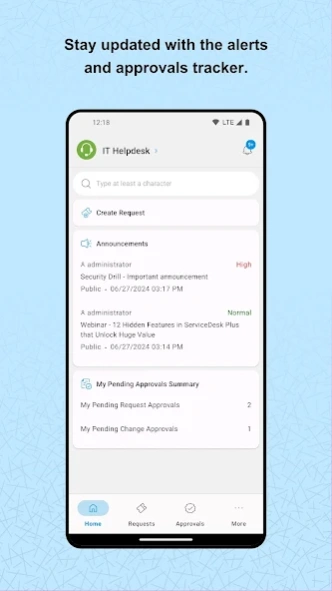
Technicians can also manage requests, approvals, and tasks on the go, be it handling IT, HR, legal, or finance service desks.
Here are some of the key features available in the app:
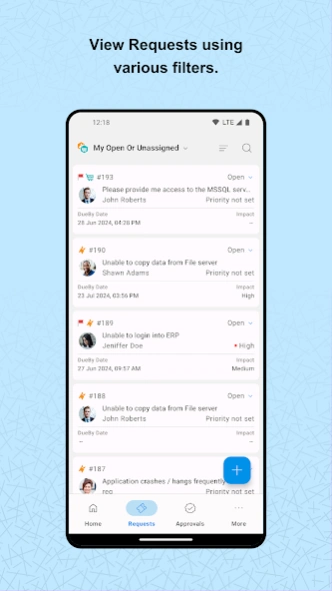
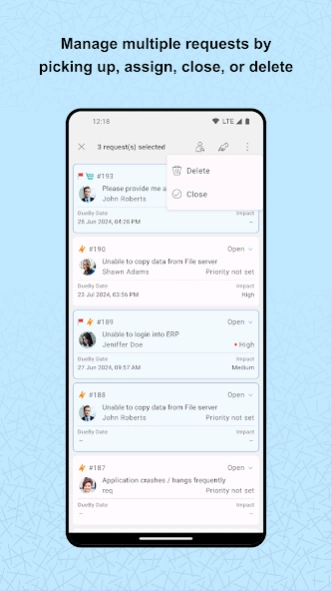
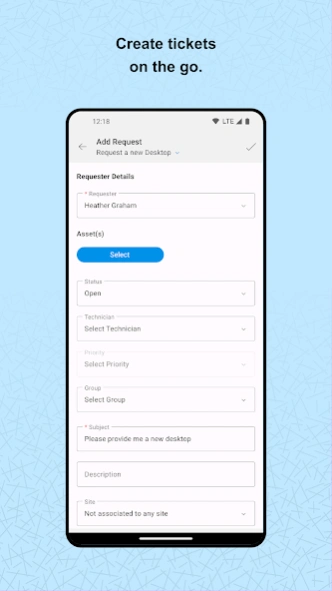
Requests: Create, view, edit, and resolve requests. Track the status of tickets, assign technicians, and add notes.
Tasks: Break down requests into tasks, assign them, and track progress.
Attachments: Add files and images to requests for reference.
Work logs: Record time spent on requests.
Solutions: Access prerecorded solutions for common issues.
Assets: Add assets through bar code/QR code scan, view details, and gain access to remote Windows machines.
Calendar integration: View all your pending tickets as events on your mobile calendar app.
Change approval: CAB members can quickly approve change requests.
*Additional features:*
Review and approve service requests and changes from your mobile device.
Get real-time notifications on request assignments, replies, and approvals.
Chat with end users right from the app.
Create custom views and tailor the app to your preferences.
If you haven't installed ServiceDesk Plus yet, go ahead and try out the fully featured, 30-day, free trial at mnge.it/try-ITSM-now.
Note: This is not a stand-alone application. To log in, your organization must have downloaded and installed the ServiceDesk Plus app or must have an account with ServiceDesk Plus. The ServiceDesk Plus mobile app is only supported with ServiceDesk Plus On-premises version 14000 and above.
Previous Versions
Here you can find the changelog of ServiceDesk Plus | On-premises since it was posted on our website on 2013-08-22 07:07:59.
The latest version is 6.4.10 and it was updated on 2026-10-12 17:59:08. See below the changes in each version.
ServiceDesk Plus | On-premises version 6.4.10
Updated At: 2026-09-29
Changes: Version 6.4.10:
1. Enable two-factor authentication for module approval actions. This adds an extra layer of security by mandating an additional verification step using the OTP. This feature is portal-specific.
2. Base Site now serves as the default site across the application and is listed in the Sites list view.
3. Add a custom logo for the mobile application.
4. View the approval summary for approvals processed in bulk.
5. View the downtime of Changes synced with OpManager.
ServiceDesk Plus | On-premises version 6.4.9
Updated At: 2026-08-06
Changes: Version 6.4.9:
1. Users can now submit requests for approvals.
2. Technicians with the required permissions can now configure approval levels and assign approvers directly from the request's Approval tab.
ServiceDesk Plus | On-premises version 6.4.8
Updated At: 2026-06-30
Changes: v6.4.8 :
Widgets now block screenshots and screen recordings for improved security.
ServiceDesk Plus | On-premises version 6.4.7
Updated At: 2026-06-08
Changes: Version 6.4.7:
1. In the Add Request form, pick-list values duplicate while scrolling when a list has more than seven values. This is now fixed.
2. Rich text field visibility and color rendering are improved across dark and light themes.
ServiceDesk Plus | On-premises version 6.4.6
Updated At: 2026-05-21
Changes: Version 6.4.6 :
1. Introducing widgets for All Requests, and Approval Summary of Requests, Changes, Releases, and Purchase.
2. SDF-134850: Task comments now support @mentions.
3. SD-120658: Solution descriptions now support inline and embedded videos.
ServiceDesk Plus | On-premises version 6.4.5
Updated At: 2026-04-02
Changes: Version 6.4.5:
* In the Add Request form, you can now populate the Assets field by scanning an asset's QR code, barcode, or RFID tag.
* When a request is moved to on-hold, you can now select a status and schedule it to be applied automatically.
* The following values are now retained after you log out:
* Filters (across all modules)
* Last scanned by (Scan Assets page)
* Settings-launch request Screen by Default
* Image upload quality
* Show description by default (iOS only)
ServiceDesk Plus | On-premises version 6.4.4
Updated At: 2026-03-10
Changes: Version 6.4.4:
Enhanced security for attachment downloads.
ServiceDesk Plus | On-premises version 6.4.3
Updated At: 2026-03-02
Changes: Version 6.4.3:
Introducing in-app browser support to enhance SAML authentication and Azure pre-authentication security, ensuring compliance with Conditional Access policies.
ServiceDesk Plus | On-premises version 6.4.2
Updated At: 2026-02-17
Changes: Version 6.4.2:
Applicable from ServiceDesk Plus 15200
1. Task comments are enhanced.
2. The following enhancements are introduced in Checklists:
i) The Last Updated By information is now displayed for each checklist item.
ii) Descriptions are now displayed for each field in checklist items.
ServiceDesk Plus | On-premises version 6.4.1
Updated At: 2026-02-03
Changes: Version 6.4.1:
SAML authentication session handling is enhanced to prevent login issues in specific scenarios.
Disclaimer
Official Google Play Link
We do not host ServiceDesk Plus | On-premises on our servers. We did not scan it for viruses, adware, spyware or other type of malware. This app is hosted by Google and passed their terms and conditions to be listed there. We recommend caution when installing it.
The Google Play link for ServiceDesk Plus | On-premises is provided to you by apps112.com without any warranties, representations or guarantees of any kind, so access it at your own risk.
If you have questions regarding this particular app contact the publisher directly. For questions about the functionalities of apps112.com contact us.